

Supertag Types
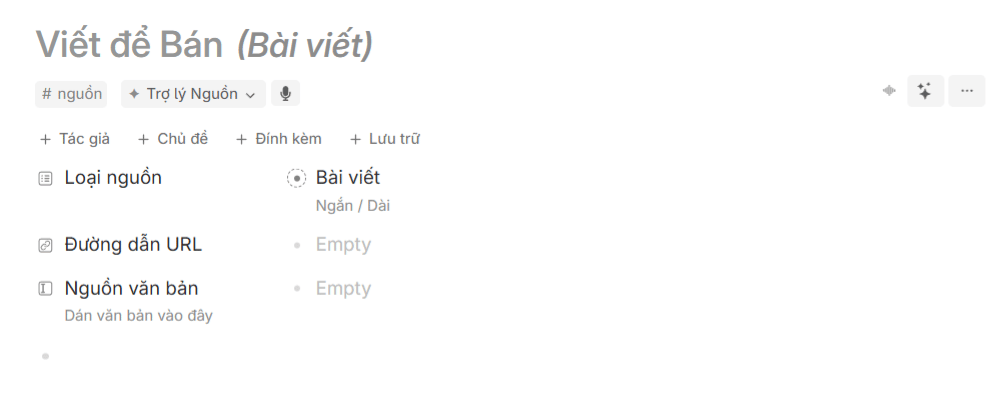
1. Source
#source
Memo
Supertag storing raw input material (from your spontaneous thoughts or external references) as a basis for idea development.
- Fields
- Built-in AI
- Data Entry Rules
- Illustration
| Field Name | Field Type | Description |
|---|---|---|
| Source Type | Options | Serves as a multi-tier classification filter to standardize incoming inputs, helping Search Nodes query and group data instantly. |
| URL Link | URL | Stores web article or YouTube links so the Source Assistant can parse content and retrieve insights. |
| Text Content | Text | Raw content field serving as a backup to store copied text or notes when external links cannot be fetched automatically. |
| Author | Tag selection | Links source to its original creator or author to maintain intellectual attribution across the knowledge network. |
| Topic | Tag selection | Corresponding content topic associated with this source. |
| Attachments | Text | Dedicated area for multimedia attachments (images, PDFs, documents) and notes, NOT used in automated analysis. |
| Archive | Checkbox | Move source to archive when active utility concludes, keeping historical data without permanent deletion. |
Source Assistant
- Analyze Source: Parses raw content from URLs or Text Content, updates the source title, extracts core arguments, and suggests idea seeds for the Package Station.
- Transcribes freeform voice memos into structured input text, providing raw material for the Source Assistant to analyze and generate seeds.
When creating a
#source node on the Today page, apply the following rules:| Data Field | Requirement | Rules and Purpose |
|---|---|---|
| Source Type | Required | Defines format so the Source Assistant can apply accurate parsing logic. |
| URL Link | Optional (1 of 2) | Use for public web links or YouTube videos to fetch data automatically. |
| Text Content | Optional (1 of 2) | Paste raw text when source platforms block scrapers or when storing private notes. |
| Topic | Optional | Helps classify sources for higher AI precision. |
Name source titles consistently based on Source Type to maintain brevity and context.
2. Idea Seed
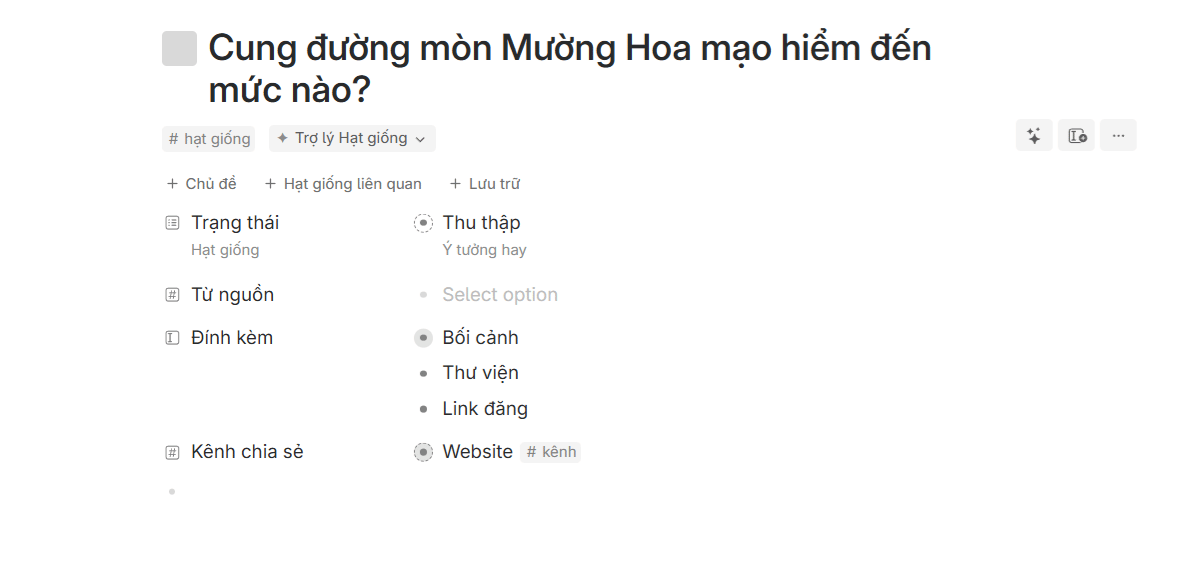
#seed
Memo
Supertag holding a clarified, atomic idea used as an outline for drafting posts or packaging solutions.
- Fields
- Built-in AI
- Data Entry Rules
- Illustration
| Field Name | Field Type | Description |
|---|---|---|
| Status | Options | Lifecycle status at the Package Station, managing quality control through progressive stages until ready to package. |
| From Source | Tag selection | Preserves provenance by linking to original inspiration material, maintaining knowledge graph integrity. |
| Topic | Tag selection | Primary content topic linked to this seed. |
| Related Seeds | Tag selection | Connects seeds sharing similar viewpoints to prevent duplication and facilitate idea clustering. |
| Attachments | Text | Scaffolded workspace template containing Context, Scratchpad, and Published Links. |
| Archive | Checkbox | Archives completed or inactive seeds without deleting them from the graph. |
| Memory (hidden) | Text | First publication timestamp, populated automatically upon completing a post. |
| Sharing Channel | Tag selection | Intended distribution channels for this seed. |
Seed Assistant
- Draft with Template: Automatically generates complete draft posts from seed outlines using proven viral frameworks.
- Rewrite Post: Refreshes perspective or adjusts tone of voice for existing drafts.
- Recommend Channels: Suggests optimal distribution platforms based on content format.
- Seed Summary: Synthesizes a brief overview of context and commercial potential.
When creating a
#seed node on the Today page, apply the following rules:| Data Field | Requirement | Rules and Purpose |
|---|---|---|
| Status | Required | Set appropriate stage (Collected, Sharing, Validated, Failed) for accurate Kanban board display. |
| From Source | Required | Link to parent #source node to retain reference context and provenance. |
| Topic | Optional | Tag with #topic to route seed into strategic knowledge domains. |
| Related Seeds | Optional | Connect to related seeds to support holistic package development. |
Ensure seed titles express a sharp, specific angle rather than a vague keyword.
3. Topic
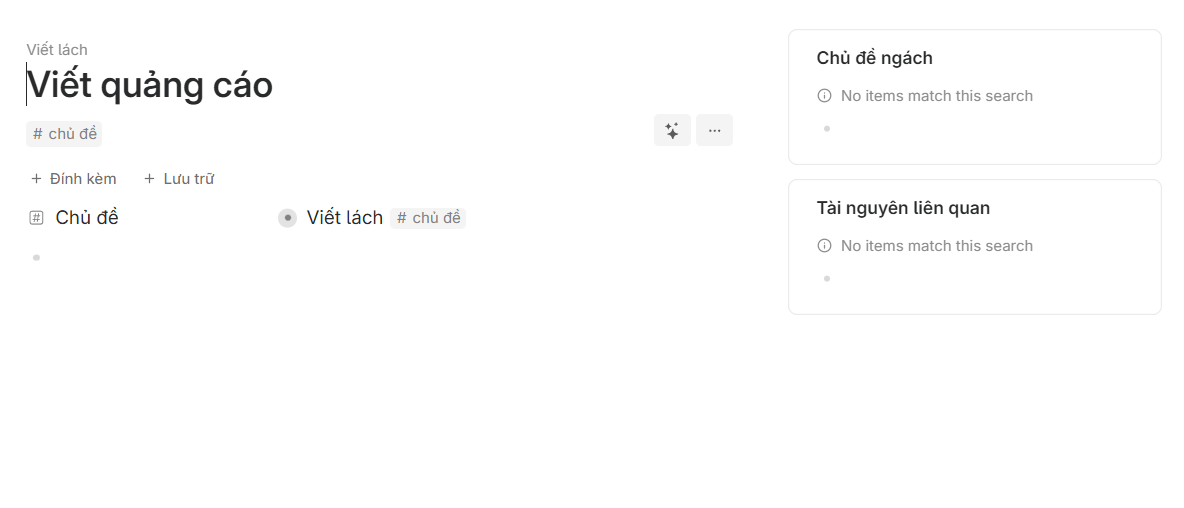
#topic
Topic
Supertag used to categorize content and resources into distinct knowledge pillars or life areas.
- Fields
- Data Entry Rules
- Illustration
| Field Name | Field Type | Description |
|---|---|---|
| Topic | Tag selection | Links to a parent topic to construct a hierarchical knowledge tree and group subtopics. |
| Attachments | Text | Dedicated area for multimedia attachments (images, PDFs, documents) and notes, NOT used in automated analysis. |
| Archive | Checkbox | Move topic to archive when no longer in active focus, preserving data safely. |
When creating a
#topic node on the Today page, apply the following rules:| Data Field | Requirement | Rules and Purpose |
|---|---|---|
| Topic | Optional | Specify parent topic to build hierarchy. Leave blank if this is a top-level pillar. |
Assign a parent topic to branch data; leave empty if treating as a root pillar.
4. Task
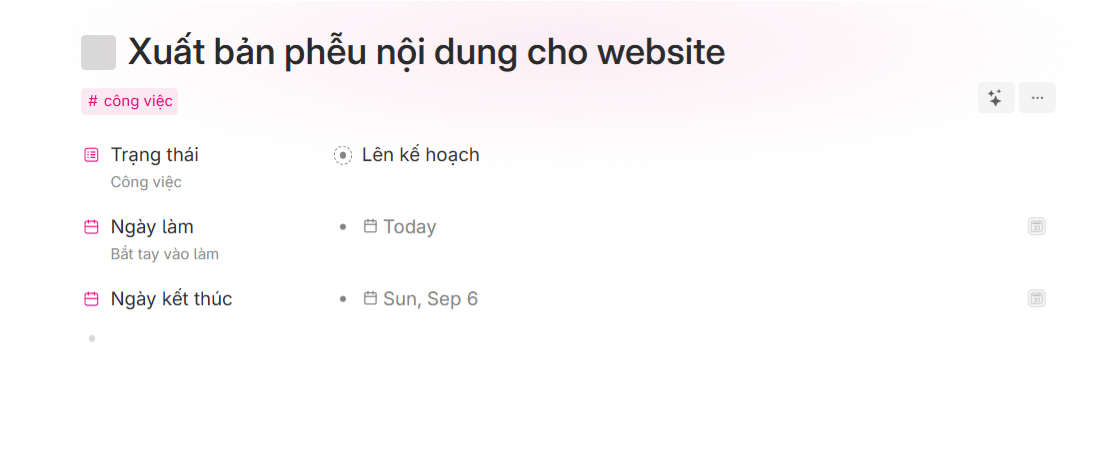
#task
Task
Supertag tracking action items, deadlines, and execution progress directly on your daily dashboard.
- Fields
- Data Entry Rules
- Illustration
| Field Name | Field Type | Description |
|---|---|---|
| Status | Options | Tracks task execution progress (Planned, In Progress, Done). |
| Start Date | Date | Scheduled start date for task execution. |
| Due Date | Date | Completion deadline for the task. |
When creating a
#task node on the Today page, apply the following rules:| Data Field | Requirement | Rules and Purpose |
|---|---|---|
| Status | Required | Select status (Planned, In Progress, Done) for accurate Kanban routing. |
| Start Date | Optional | Set start date to plan preparation and allocate daily focus. |
| Due Date | Optional | Set hard deadline to guide task prioritization and backlog sorting. |
Every task node contains a checkbox. Switching status to Done checks the box and syncs completion across the workspace.
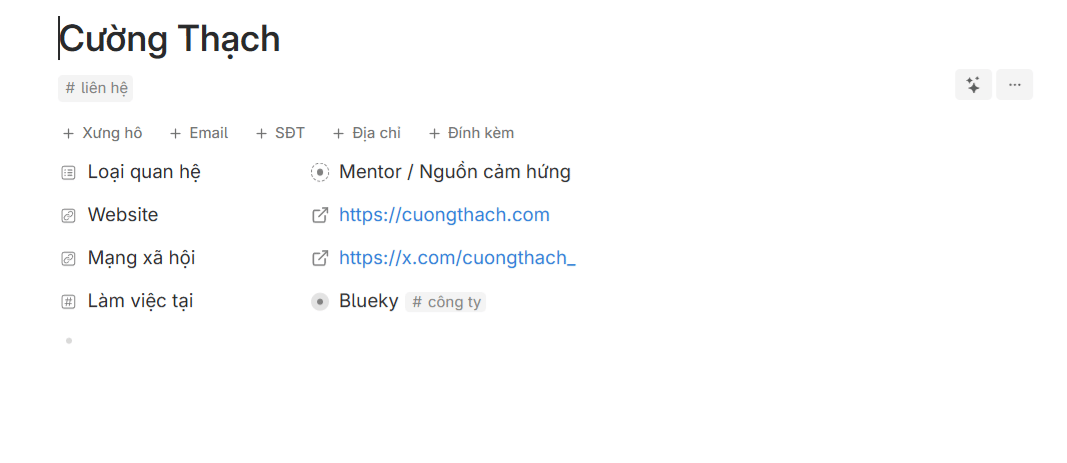
5. Contact
#contact
Person
Supertag storing profiles of clients, partners, collaborators, and mentors to streamline relationship management.
- Fields
- Data Entry Rules
- Illustration
| Field Name | Field Type | Description |
|---|---|---|
| Salutation | Text | Preferred honorific or form of address. |
| Relationship Type | Options | Categorizes relationship (prospect, client, student, partner, mentor, friend). |
| Primary email address for correspondence. | ||
| Website | URL | Link to personal website, blog, or portfolio. |
| Social Profile | URL | Link to primary social channel (LinkedIn, X, Facebook). |
| Phone Number | Number | Direct contact phone number. |
| Address | Text | Residential address or office location. |
| Works At | Tag selection | Links to affiliated company or organization (#company). |
| Attachments | Text | Dedicated area for multimedia attachments (images, PDFs, documents) and notes, NOT used in automated analysis. |
When creating a
#contact node on the Today page, apply the following rules:| Data Field | Requirement | Rules and Purpose |
|---|---|---|
| Relationship Type | Required | Categorize relationship to activate CRM search filters. |
| Salutation | Optional | Standardize professional form of address. |
| Works At | Optional | Assign company affiliation (#company) to track institutional connections. |
| Optional | Store primary email address for professional communication. | |
| Website | Optional | Save website or portfolio link for technical reference. |
| Social Profile | Optional | Track primary social profile to maintain interaction. |
| Phone Number | Optional | Direct phone contact for urgent matters. |
| Address | Optional | Physical location for meetings or mailings. |
Set the person’s full name as the node title. For nicknames or titles, separate with a dash (for example: Name - Role).
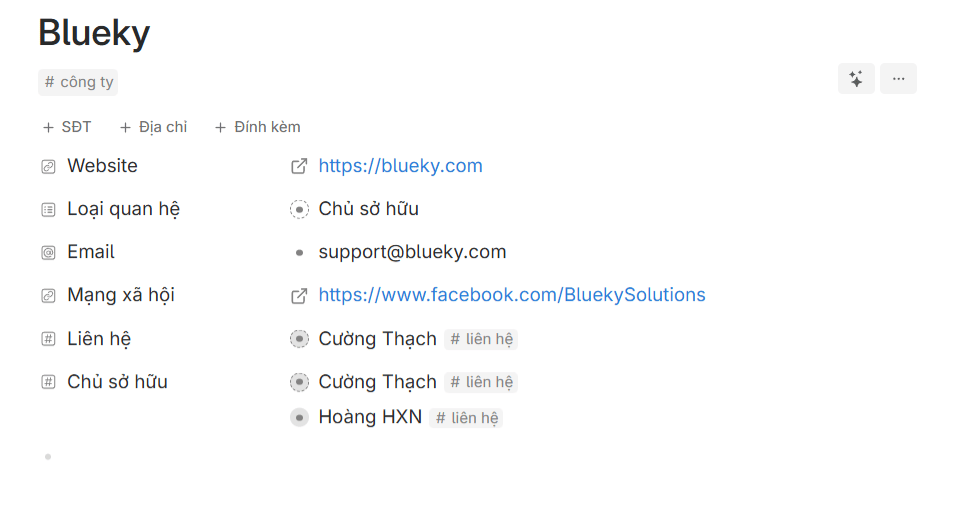
6. Company
#company
Organization
Supertag storing partner companies, vendors, or competitors to benchmark and monitor business models.
- Fields
- Data Entry Rules
- Illustration
| Field Name | Field Type | Description |
|---|---|---|
| Website | URL | Official company website. |
| Relationship Type | Options | Categorizes partnership or strategic standing for organizational sorting. |
| Official corporate contact email. | ||
| Social Profile | URL | Link to official company social profile. |
| Phone Number | Number | Corporate switchboard or support line. |
| Address | Text | Headquarters or office address. |
| Attachments | Text | Dedicated area for multimedia attachments (images, PDFs, documents) and notes, NOT used in automated analysis. |
| Owner | Tag selection | Links to founder or legal representative (#contact). |
When creating a
#company node on the Today page, apply the following rules:| Data Field | Requirement | Rules and Purpose |
|---|---|---|
| Relationship Type | Required | Classify relationship to trigger filters and track benchmark organizations. |
| Website | Required | Store official corporate site to verify information and offerings. |
| Optional | Official domain email for business outreach. | |
| Social Profile | Optional | Official social page to follow announcements and news. |
| Contacts | Optional | Connect team members or key personnel to nurture partnerships. |
| Owner | Optional | Connect founder or managing director (#contact). |
Use the official company name as node title. Place related research or seed ideas in child bullets for centralized tracking.
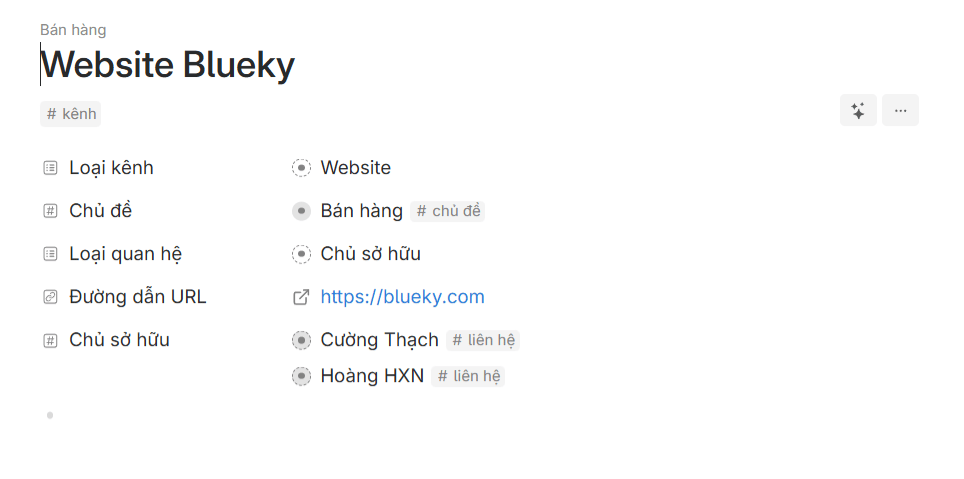
7. Channel
#channel
Organization
Supertag identifying distribution outlets, social profiles, blogs, or newsletters where you publish content.
- Fields
- Data Entry Rules
- Illustration
| Field Name | Field Type | Description |
|---|---|---|
| Channel Type | Options | Categorizes platform format (Website, Newsletter, YouTube, Facebook, LinkedIn). |
| Topic | Tag selection | Links to parent topic to align channels with knowledge pillars. |
| Relationship Type | Options | Classifies operational relationship to support organization filters. |
| URL Link | URL | Direct link for quick navigation to channel. |
| Owner | Tag selection | Links to person responsible (#contact). |
When creating a
#channel node on the Today page, apply the following rules:| Data Field | Requirement | Rules and Purpose |
|---|---|---|
| Channel Type | Required | Classify distribution medium to measure velocity and optimize publication. |
| URL Link | Required | Direct URL to public channel or admin dashboard for instant access. |
| Relationship Type | Required | Classify relationship to filter and track role model channels. |
| Topic | Optional | Link topic to group distribution channels by domain. |
| Owner | Optional | Connect channel manager or creator profile. |
Name channel nodes using the formula CHANNEL TYPE + CHANNEL NAME (for example: Website Blueky, LinkedIn John Doe).
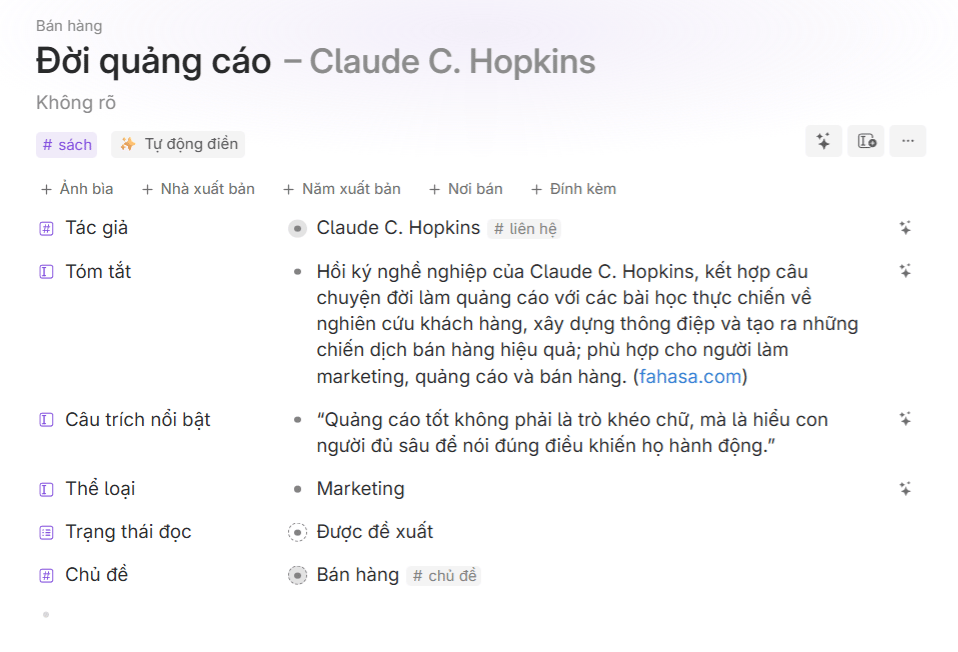
8. Book
#book
None
Personal bookshelf tracking reading progress, chapter summaries, and notable quotes, powered by AI Autofill.
- Fields
- Built-in AI
- Data Entry Rules
- Illustration
| Field Name | Field Type | Description |
|---|---|---|
| Author | Tag selection | Links to author profile (#contact). |
| Summary | Text | Concise summary of core themes and lessons learned. |
| Key Quote | Text | Memorable excerpts and standout takeaways from text. |
| Cover Image | Text | Book cover image URL to visualize library in card view. |
| Genre | Text | Academic or commercial category (Self-Help, Business, Tech, Psychology). |
| Publisher | Text | Publishing house responsible for release. |
| Publication Year | Date | Release year of edition. |
| Reading Status | Options | Tracks reading stage (Recommended, To Read, Reading, Finished, Reviewed). |
| Store Link | URL | Direct link to purchase book (Amazon, bookstore, or author page). |
| Topic | Tag selection | Connects to #topic to categorize reading by knowledge domain. |
| Attachments | Text | Dedicated area for multimedia attachments (images, PDFs, documents) and notes, NOT used in automated analysis. |
| On Loan (hidden) | Tag selection | Tracks contact currently borrowing the physical copy. |
AutofillAutomatically retrieves and fills core book metadata based solely on the book title.Includes:
- Author
- Summary
- Genre
- Key Quote (Click the sparkle icon next to the field once the Author is filled)
When creating a
#book node on the Today page, apply the following rules:| Data Field | Requirement | Rules and Purpose |
|---|---|---|
| Reading Status | Required | Set reading stage to track active books and filter bookshelf. |
| Author | Required | Autofill AI retrieves author automatically, but verify spelling as it unlocks remaining attributes. |
| Summary | Optional | Autofill AI synthesizes a concise overview of book arguments. |
| Key Quote | Optional | Autofill AI extracts memorable quotes (click sparkle icon). |
| Genre | Optional | Autofill AI categorizes book domain for filtered views. |
| Topic | Optional | Tag with #topic to group books by strategic career pillar. |
| Cover Image | Optional | Upload cover image to display library visually. |
Node title must be the exact book title. For books with subtitles, separate with a colon (Title: Subtitle).
9. Product
#product
None
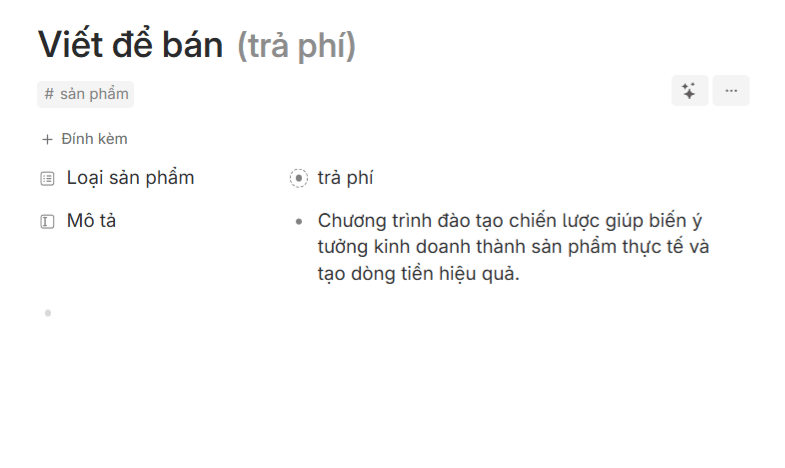
Supertag representing digital or physical offerings (free lead magnets or paid programs) brought to market.
- Fields
- Data Entry Rules
- Illustration
| Field Name | Field Type | Description |
|---|---|---|
| Product Type | Options | Identifies pricing model (Free lead magnet or Paid flagship) to measure conversions. |
| Description | Text | One-sentence summary highlighting core value proposition and benefits. |
| Attachments | Text | Dedicated area for multimedia attachments (images, PDFs, documents) and notes, NOT used in automated analysis. |
When creating a
#product node on the Today page, apply the following rules:| Data Field | Requirement | Rules and Purpose |
|---|---|---|
| Product Type | Required | Specify format (Free or Paid) to distinguish front-of-funnel lead magnets from core revenue products. |
| Description | Required | Provide a concise description of problem solved and target customer. |
Set product name as node title. After choosing Product Type, the system synchronizes the label for uniform display.
Entity Relationship Diagram
Supertag Color Scheme
Base Tags
Action Tags
Lookup Tags